Money Counter, Counterfeit Detector, Coin Sorter, Note Strapping Machine

How to Clean a Money Counter: A Practical Maintenance Guide

» Blogs » How to Clean a Money Counter: A Practical Maintenance Guide

How to Clean a Money Counter: A Practical Maintenance Guide

20/09/2026

Regular cleaning helps a money counter maintain stable feeding, counting and image-based detection performance. Dust, paper fibers and residue from circulated banknotes can accumulate in the banknote passing channel, counting wheels and sensor areas. Over time, this buildup may contribute to feeding errors, miscounts or image-recognition warnings.

This guide explains a practical routine for cleaning a money counter with a soft brush and a cleaning card. It also explains when a CIS calibration sheet may be required. The exact access points, cleaning mode and calibration procedure vary by machine model, so always follow the relevant product manual before opening or adjusting the equipment.

Safety first: Switch off and unplug the machine before opening the rear cover. Do not use water, oil, solvents or sharp tools inside the machine. Do not touch sensor surfaces with your fingers.

Direct Answer: How Do You Clean a Money Counter?

For routine maintenance, use two methods:

  • Open the rear cover and gently remove dust from the banknote passing channel, CIS and UV sensor areas, magnetic heads and related components with a soft brush.
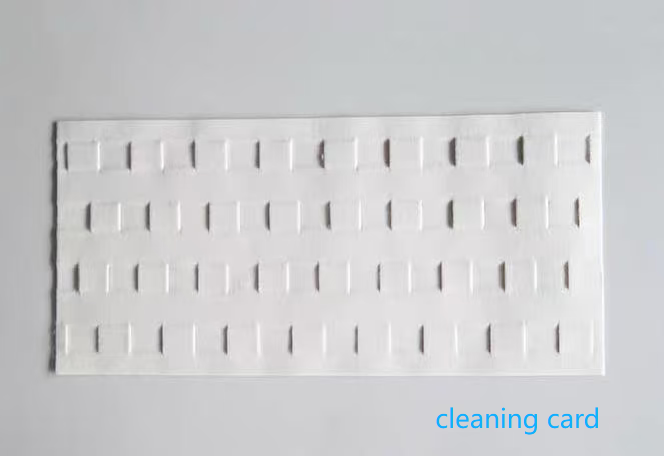
  • Feed a money-counter cleaning card through the hopper and banknote path. Repeat the pass several times, replacing or turning the card as needed, until the card comes out clean.

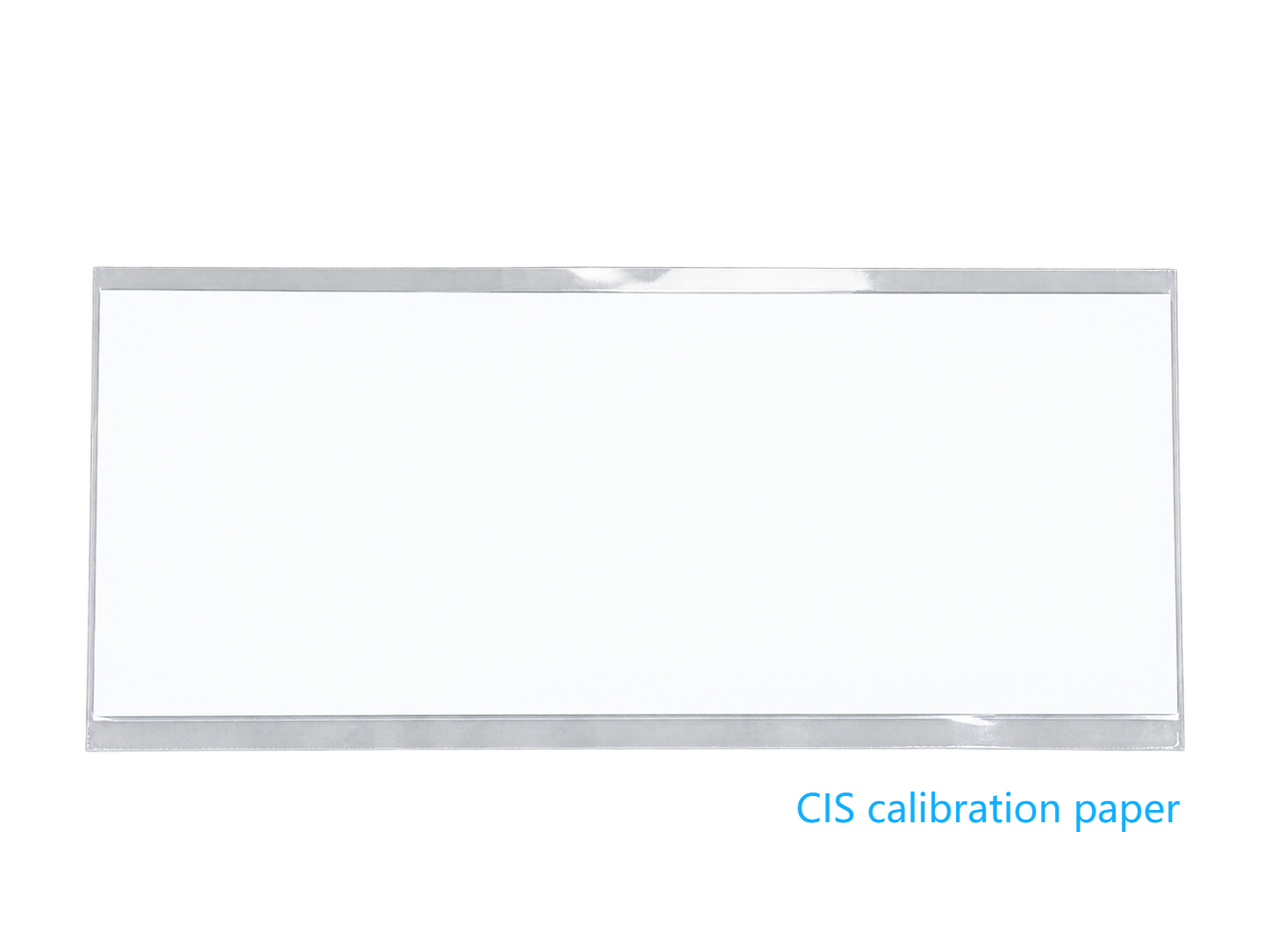
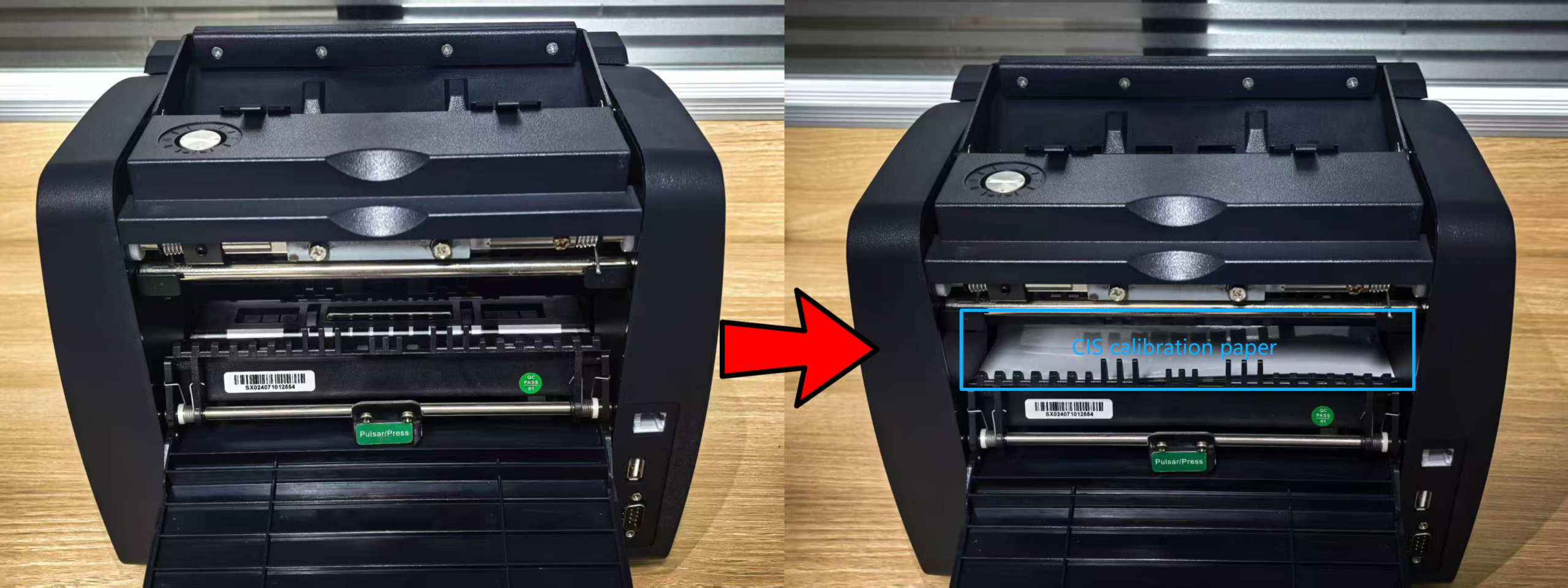
If the machine reports that the CIS needs cleaning, or if image-recognition errors continue after routine cleaning, use the CIS calibration paper supplied for the machine and follow the model-specific instructions in the user manual.

What You Need
  • A soft, dry brush
  • A suitable money-counter cleaning card
  • The machine user manual
  • The model-specific CIS calibration paper, if required


1. Clean the Banknote Passing Channel with a Brush
  • Remove all banknotes and unplug the machine.
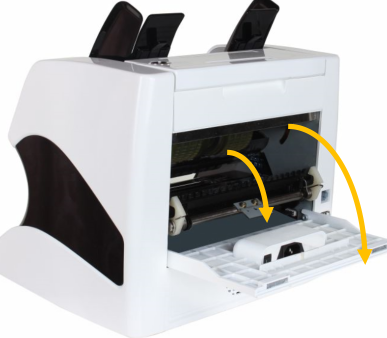
  • Open the rear cover according to the machine manual.
  • Use a soft brush to remove dust and paper fibers from accessible areas around the banknote passing channel, CIS image sensors, UV sensors, magnetic heads, feeding wheels and guides.
  • Brush gently. Do not touch or force any sensor, wire or moving part.
  • Check that no brush fibers remain, then close the cover.


2. Clean the Machine with a Cleaning Card
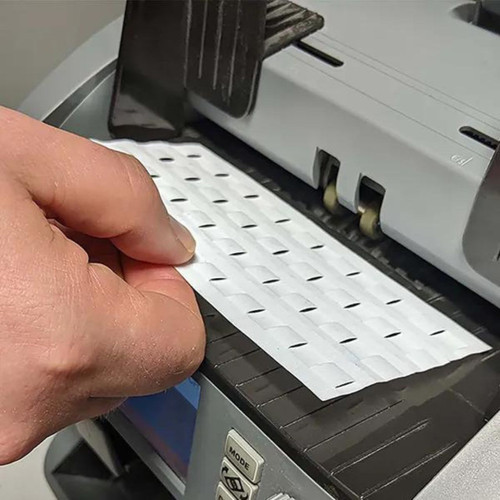
  • Place a clean, flat cleaning card in the hopper.
  • Guide it into the feeding rollers in the same general way as a banknote. Do not push it forcibly or place your fingers near moving rollers.
  • Allow the card to pass through the banknote channel and exit through the receiving or stacker area.
  • Repeat several times. Turn or replace the card according to the card instructions.
  • Continue until the card comes out visibly clean.

Note: If the machine has multiple feeding or counting channels, clean every channel separately.
Guide into rollers

When Is a CIS Calibration paper Needed?

Use a CIS calibration paper when the machine displays a CIS warning, image-recognition errors continue after routine cleaning, or the user manual requires calibration.

The exact sequence depends on the model:

  • Clean the banknote passing channel first.
  • Confirm that the paper is clean, dry and undamaged.
  • Insert it in the position and direction specified by the manual.
  • Start the calibration function and allow it to finish without interruption.
  • Test the machine with suitable banknotes.

Do not use a normal banknote or ordinary paper for calibration unless the manufacturer specifically permits it.
Cleaning Frequency and Common Mistakes

Cleaning frequency depends on banknote volume, note condition and the working environment. Inspect the banknote path regularly, use a cleaning card according to the manual, brush visible dust and clean every channel on multi-channel machines.

Avoid these mistakes:

  • Forcing the cleaning card into the rollers
  • Using liquid cleaners or solvents without approval
  • Cleaning only the machine exterior
  • Calibrating before cleaning the banknote path
  • Disassembling parts intended for professional service
If Errors Continue

Check the cleaning card, calibration paper, machine settings, covers and banknote condition. If the problem remains, follow the user manual or contact a qualified service team. Diagnosis depends on the model, currency, banknote condition and error message.

FAQ

Q1:How many times should I run the cleaning card?
A1: Run it several times and continue until it comes out clean. The required number of passes depends on the machine condition.

Q2:Is a cleaning card the same as a CIS calibration sheet?
A2:No. A cleaning card removes dust from the feeding path. A CIS calibration paper is used for image sensor calibration.

Q3:Do I need to clean every channel?
A3:Yes. Clean each feeding or counting channel separately.

Brush the accessible banknote path, run a suitable cleaning card through the hopper, and clean every channel on multi-channel machines. If errors remain, use the approved CIS calibration paper according to the machine manual.
Need help with money counter selection, currency compatibility or maintenance? Contact BCASH for a technical consultation.


Maybe you like also

  • BCASH

    Your Professional Supplier of Cash Handling Products in China
    Banknote Sorter, Money Counter, Counterfeit Detector, Coin Counter & Sorter, Check Reader & Writer

  • CONTACT US

    Mobile: +86.137-7775-1878
    Office: +86.577-8829-5838
    Email: sales@bcash.cn
    FacebookLinkedIn